
The dashboards and tools your team will use every day to bill, price and monitor.
Browse the screens below to see how Neon Soft handles billing, rates, reporting and customer access. Images are examples and may differ slightly from the live product. For the best view, use a desktop or laptop screen.
Click any screen to enlarge it.
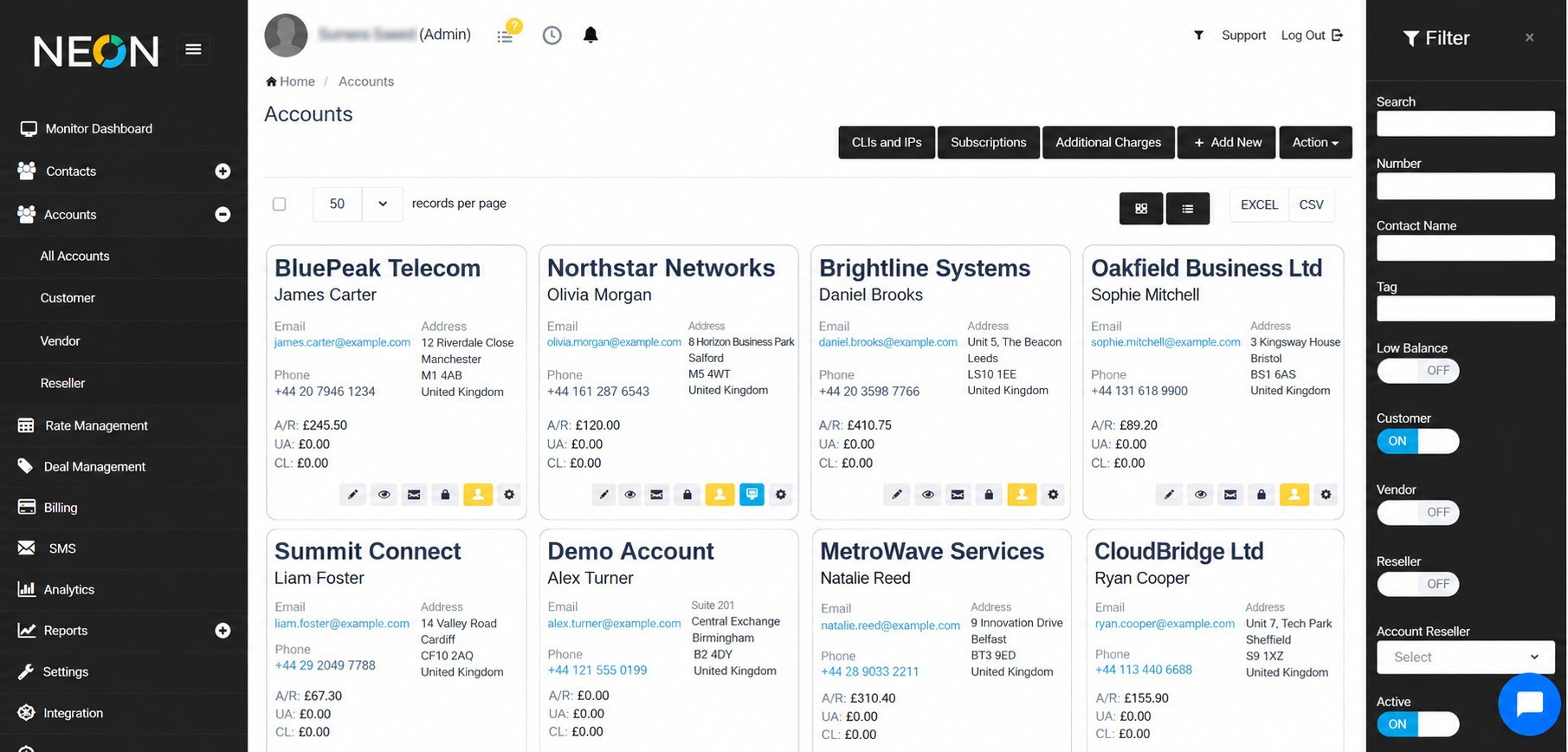
Keep every customer's balance, credit limit, usage and payment history in one view, with credit control that can block accounts automatically when limits are reached. Learn more about pre-paid and post-paid billing.
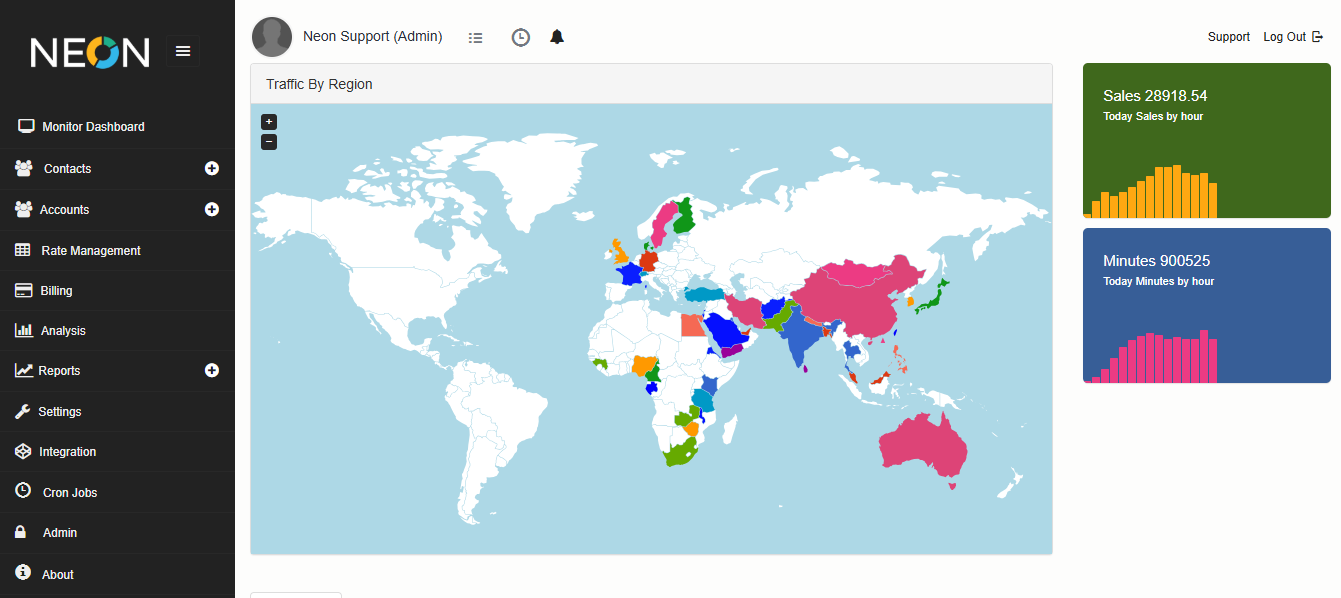
Watch live traffic, revenue and system activity from a single screen, so unusual patterns and margin dips are spotted the moment they happen. Learn more about centralized monitoring.
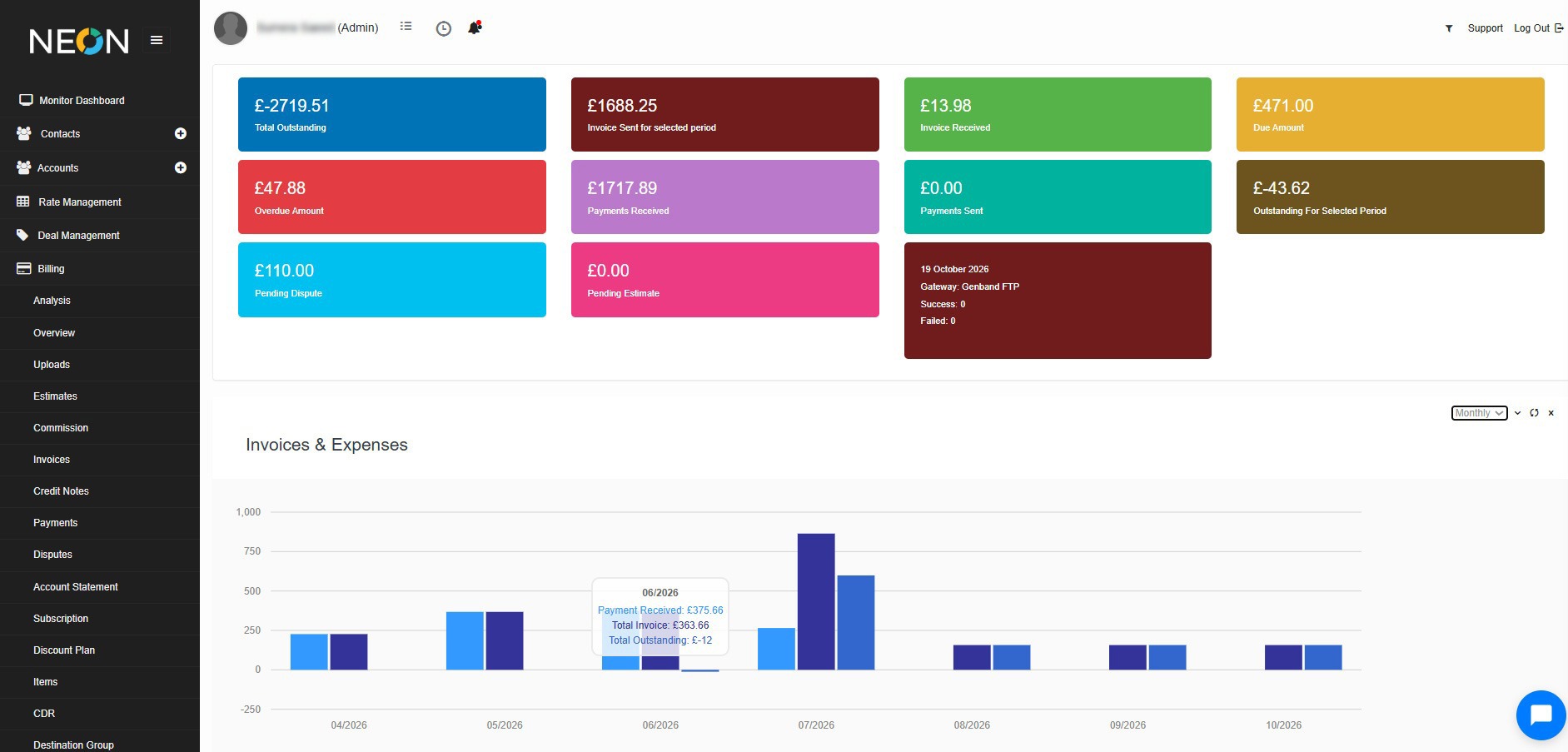
Compare revenue against cost across customers, vendors and destinations to see where margins are strong and where they are slipping. Learn more about usage-based billing.
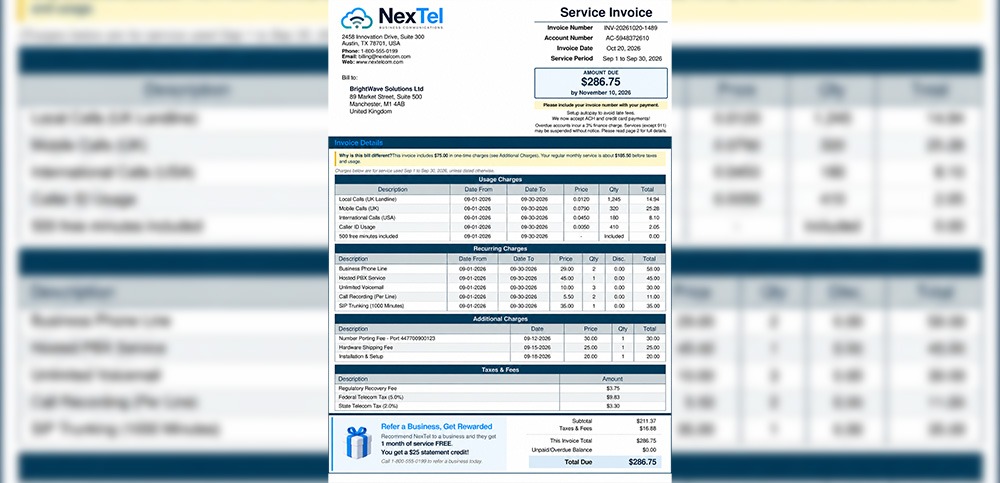
Create invoices with your own branding and layout, showing the right currency, tax details and payment information for every customer. Learn more about retail telecom billing.
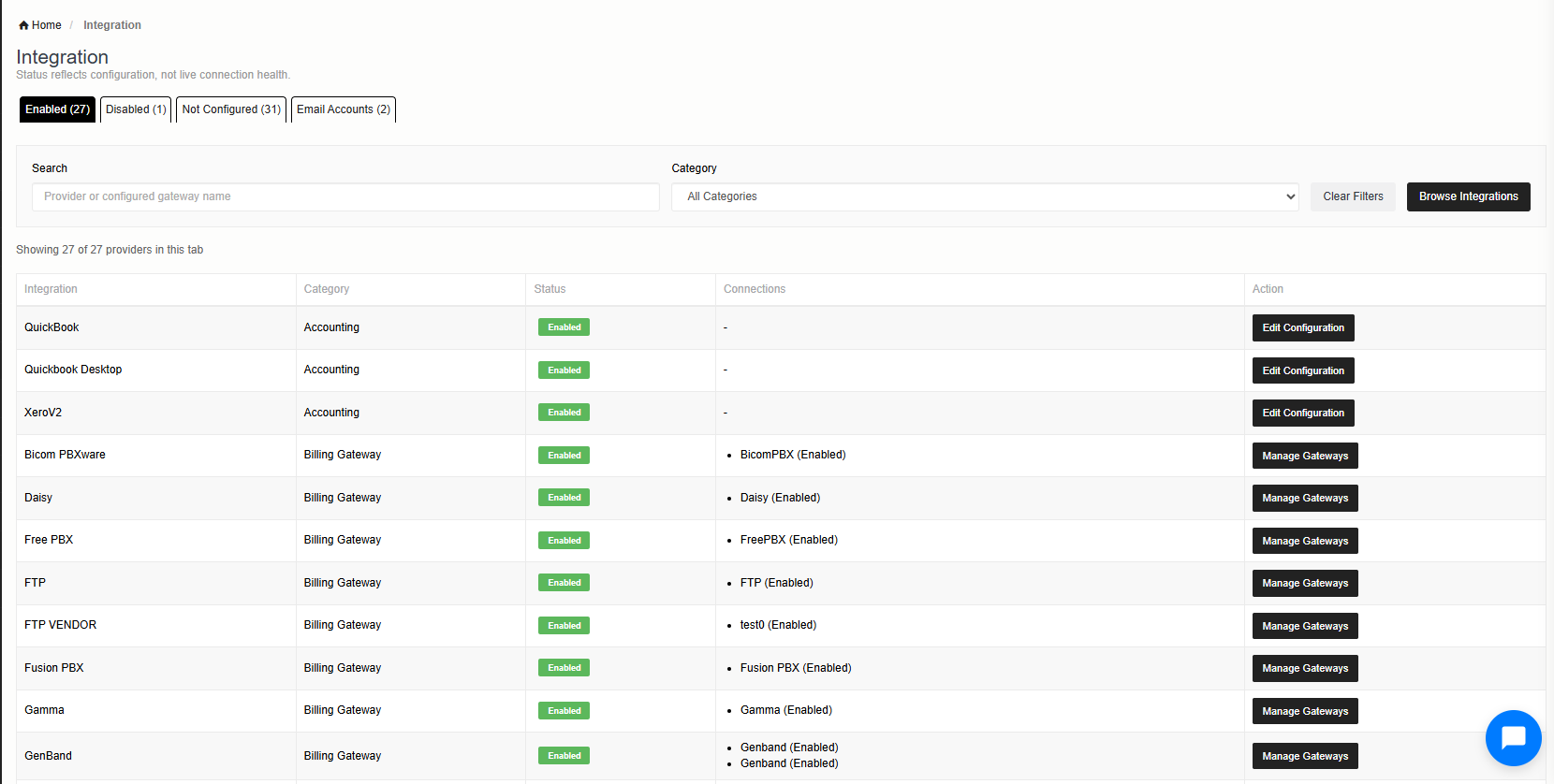
Connect Neon to your switches, payment gateways and accounting tools such as Xero, Sage and QuickBooks, so data flows between systems without re-entry. Learn more about all integrations.
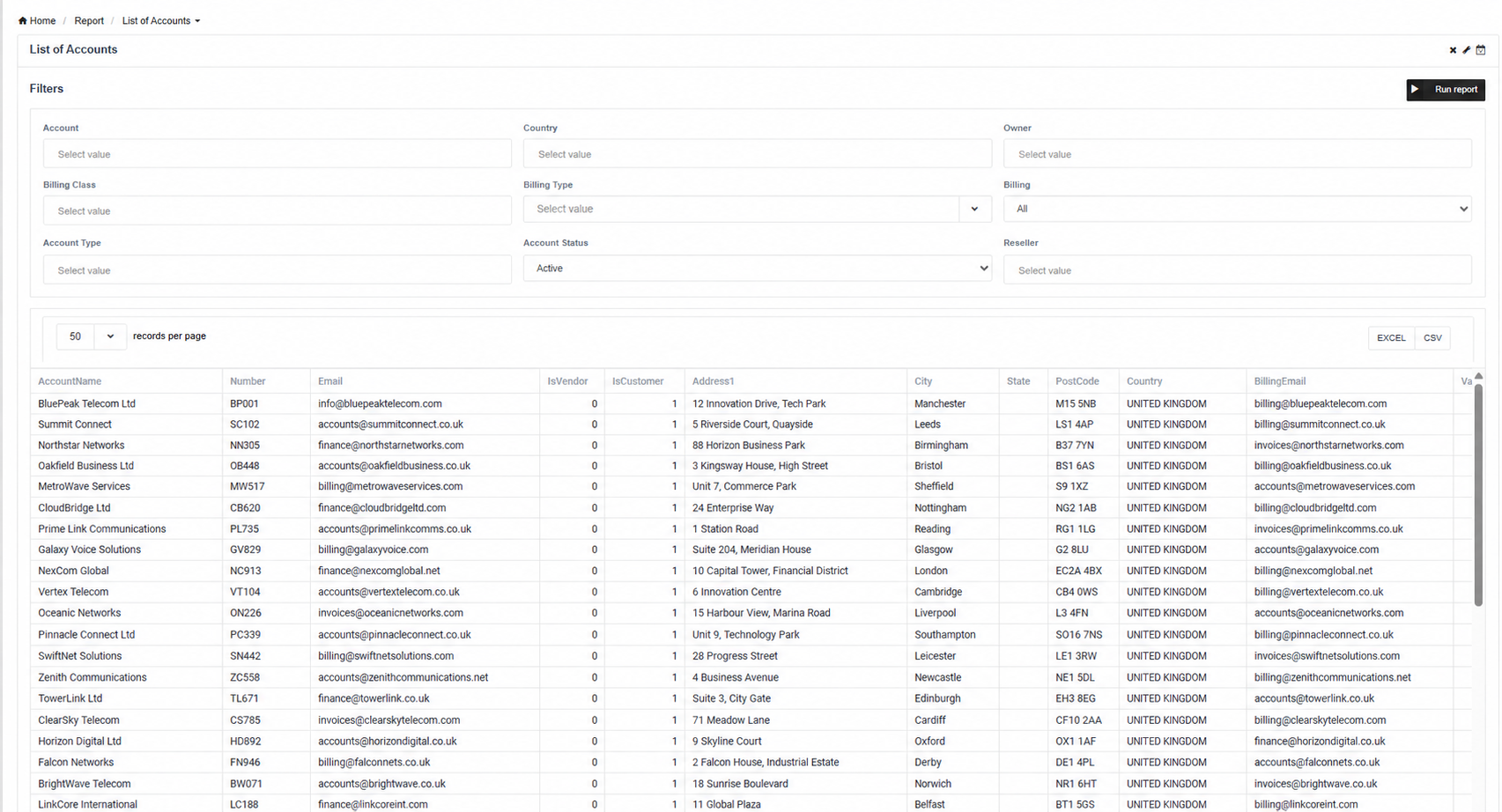
Run detailed CDR, billing and revenue reports in a few clicks and filter them by customer, vendor or date range to get the answers you need. Learn more about reporting and monitoring.
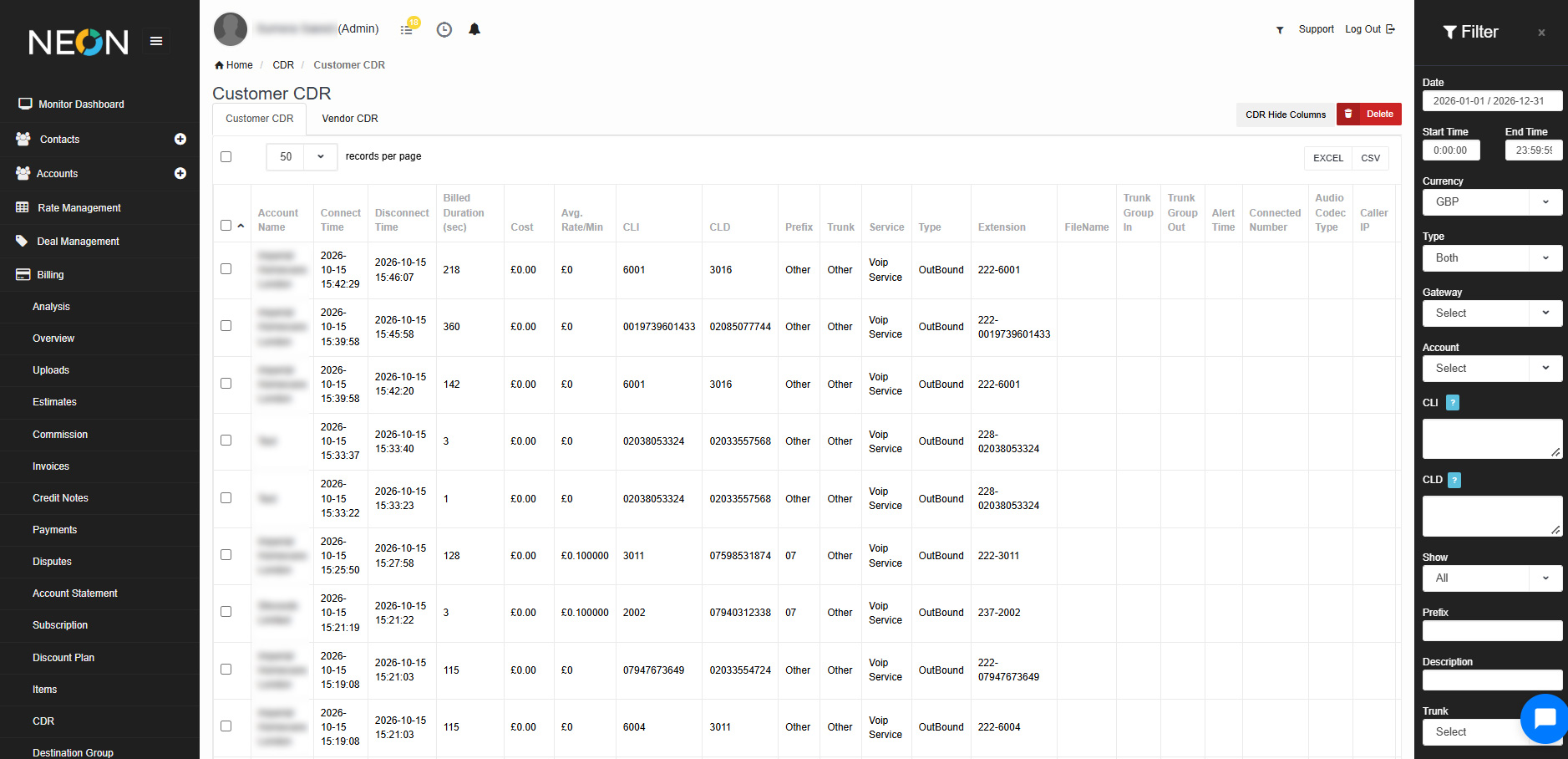
Call records flow in from your switches and are rated automatically, cutting out manual checks. Collect CDRs on a schedule or upload them by hand, verify each record against rules such as account name, ANI and authenticated IPs, and rate it against the correct tariff, so every invoice is built on accurate usage.
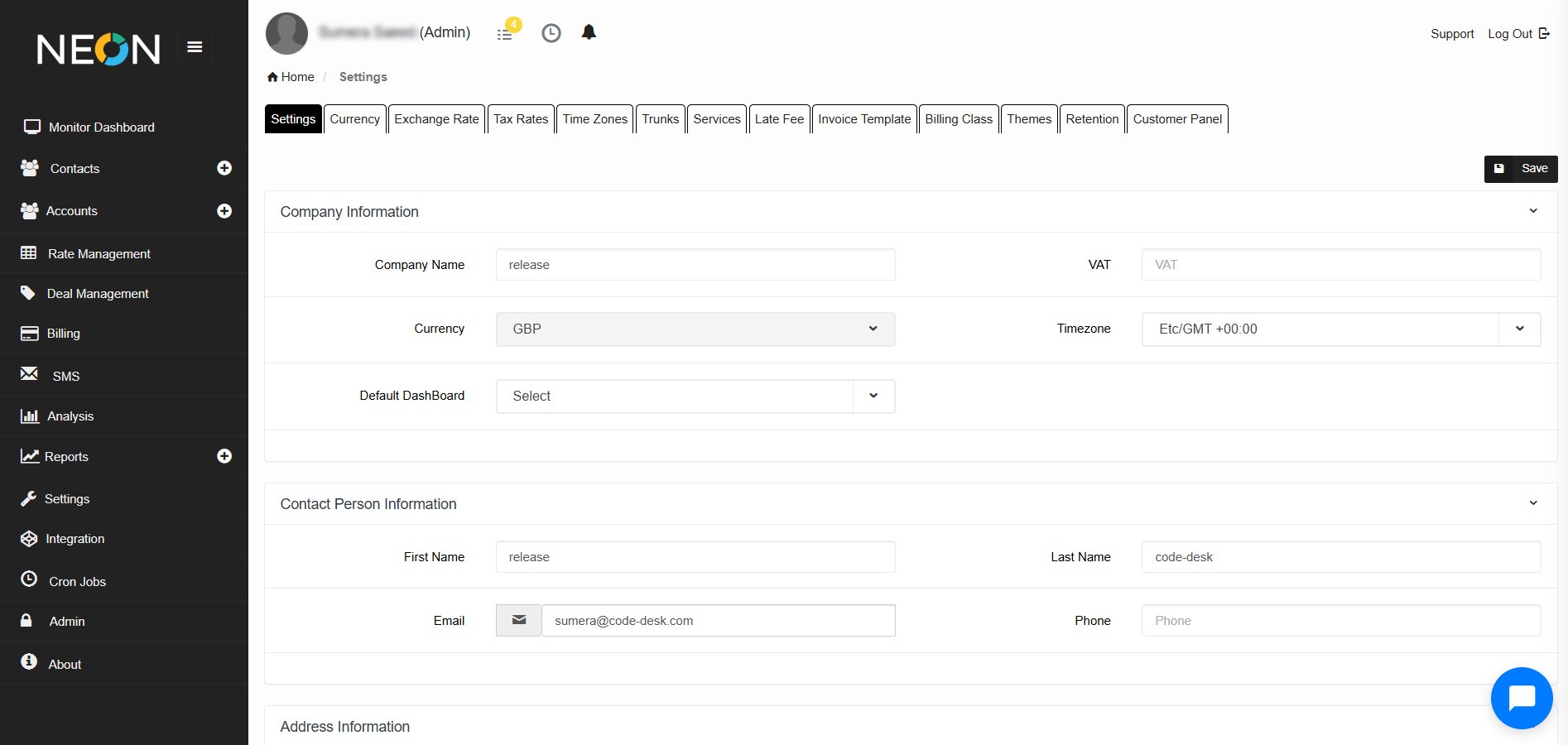
Set up billing rules, currencies, taxes and user access in one place, so the platform works the way your business does. Role-based access control lets each team member see and change only what they need, while your configuration applies consistently across billing, invoicing and reporting.
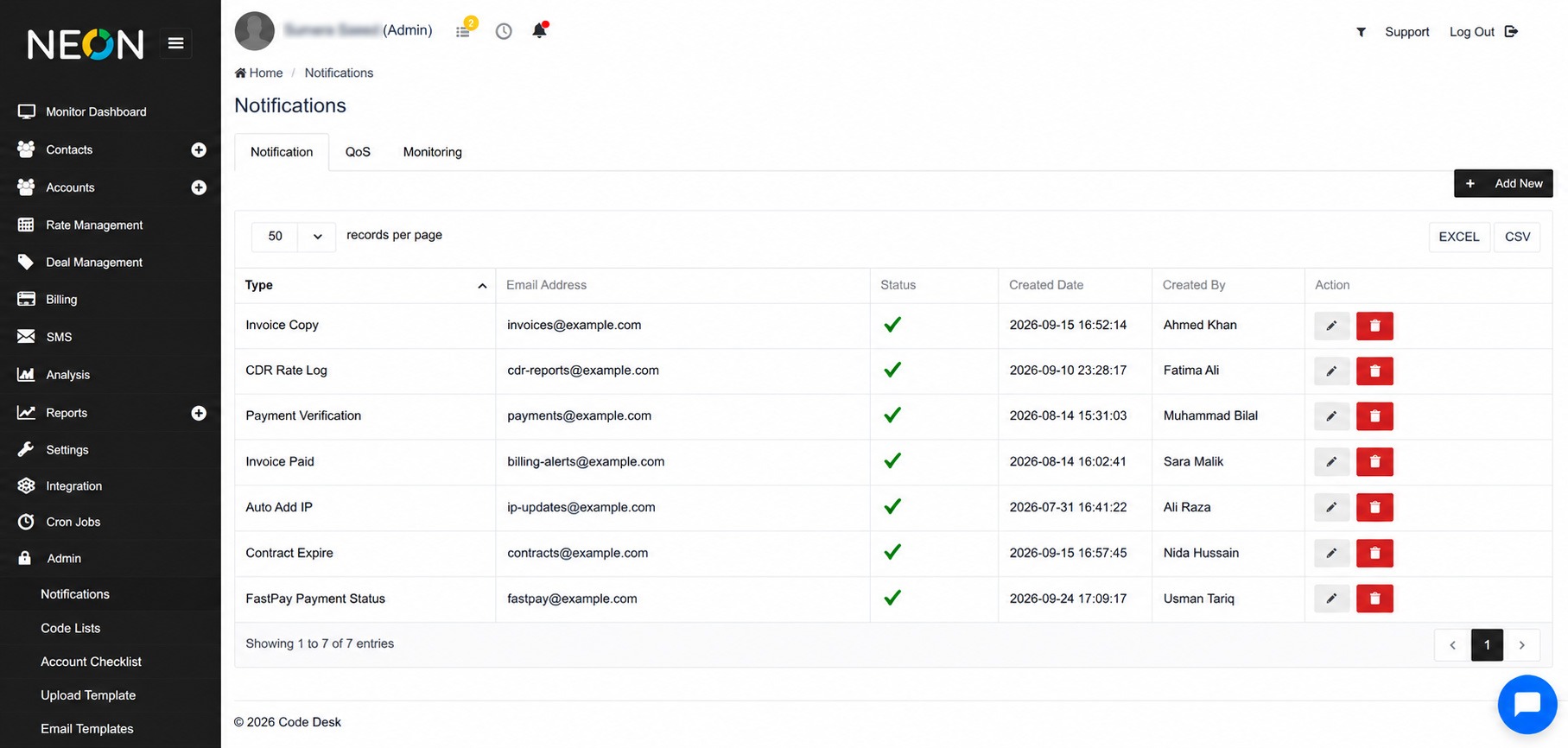
Choose which alerts and emails are sent, and to whom, so your team and your customers hear about invoices, payments and account events on time. Learn more about SMTP email integration.
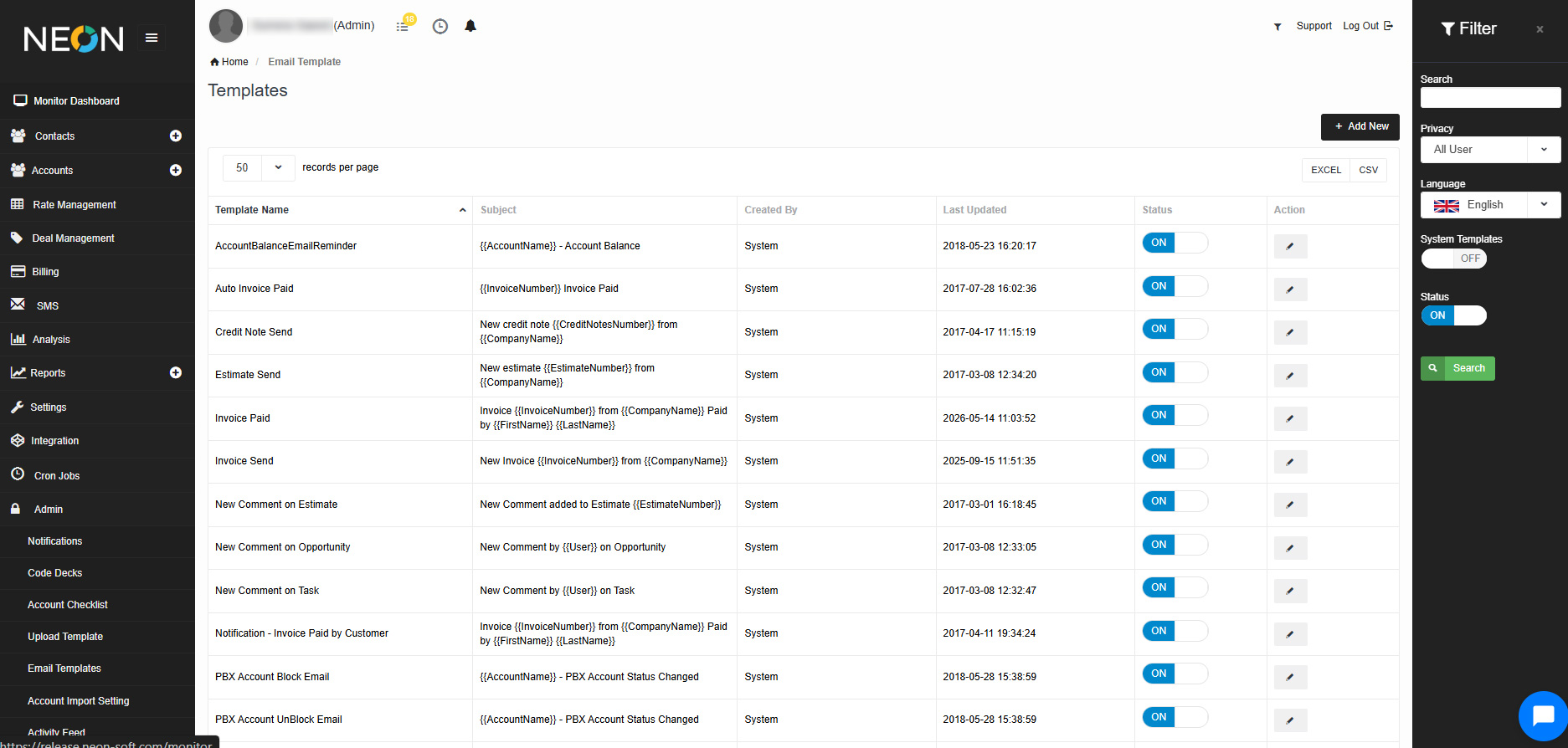
Design branded invoice and email templates with the template designer, so every document your customers receive looks professional and consistent. Learn more about invoice templates.
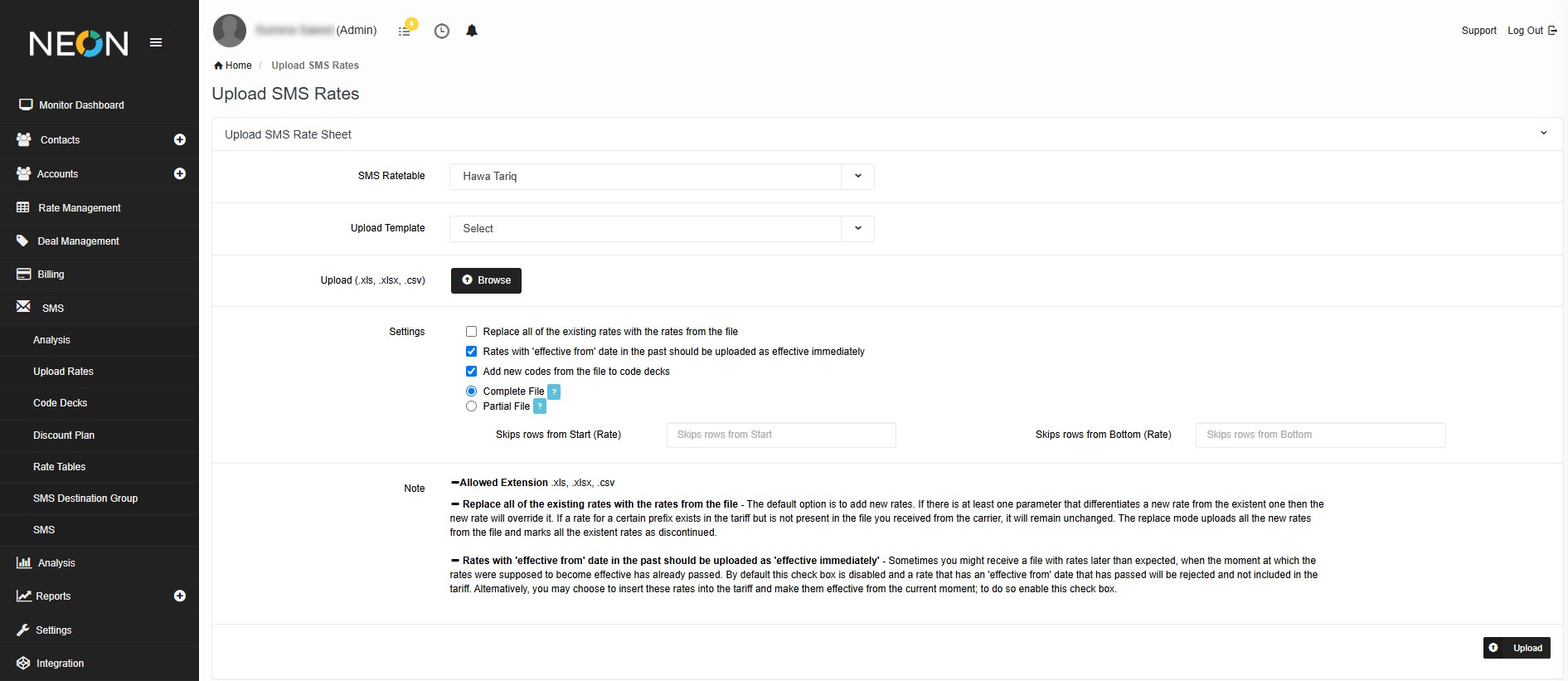
Upload SMS rate files in a few clicks so customer and vendor prices stay current and every message is billed accurately. Learn more about SMS billing.
Book a short demo and we'll walk through the platform around your traffic, rates and customers.
Over a decade running interconnect billing, LCR routing and wholesale rates, and it shows in the product.
Reach engineers at any hour who already understand CDRs, rate issues and tricky billing cases.
Ready-made connections to 30+ switches, payment tools and accounting systems, typically live within days.
You keep everything you earn. We never take a percentage, and you always see exactly what is billed.