
Subscription
Here you can manage your subscriptions (recurring charges) which you can apply to customers 'Account Subscriptions'
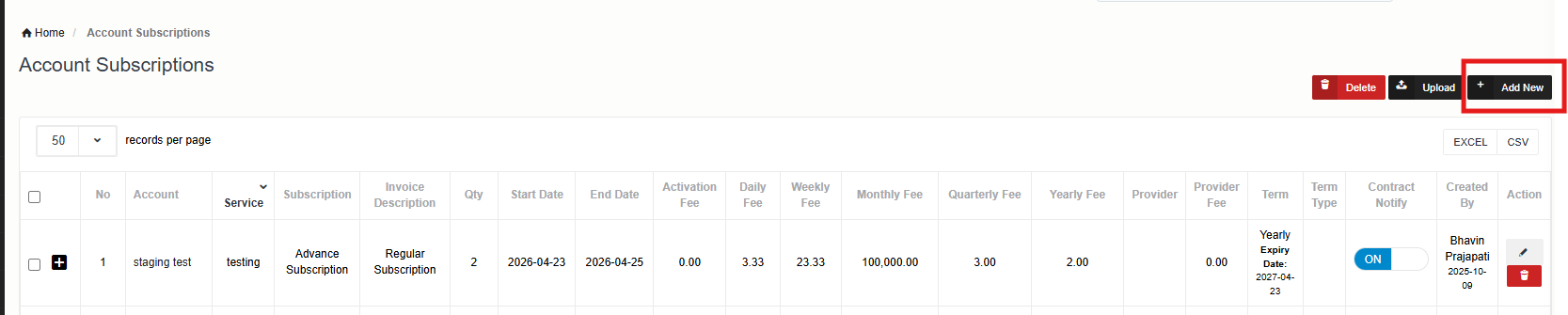
Adding New Subscription
Click on Add new to setup new subscription. Enter required details and click on save.
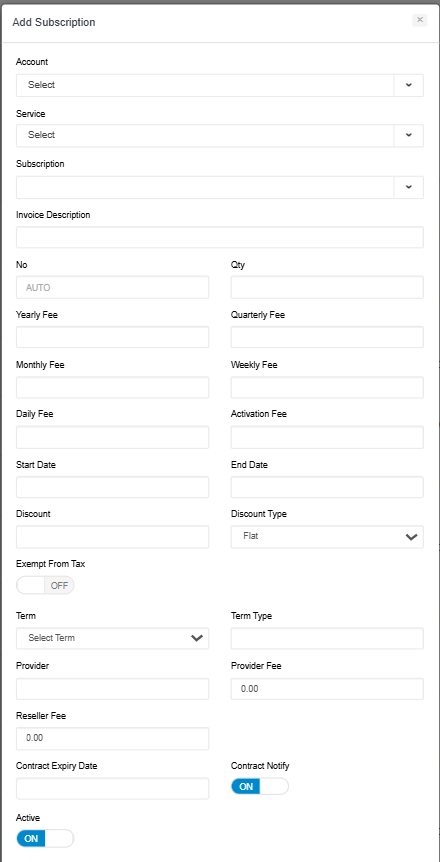
|
Field |
Description |
|
Name |
Name of the subscription |
|
Description |
subscription description |
|
Invoice Line Description |
Subscription description which will appear on your customer invoice. |
|
Yearly Fee |
Fee for a year |
|
Quarterly Fee |
Fee for a quarter |
|
Monthly Fee |
Fee for a month |
|
Daily Fee |
Fee for a day |
|
Weekly Fee |
Fee for a week |
|
Currency |
Subscription Currency |
|
Activation Fee |
Fee to be charged when subscription will be activated against the customer. |
|
Advance Subscription |
IF ON, system will charge for subscription in advance. IF OFF, then subscription will be charged at the end of the billing cycle.
|
|
Term |
Select the Term type for example daily, weekly, month |
|
Provider |
Name of Provider |
|
Provider Fee |
Provider Fee |
|
Contract Expiry Date |
Mention Contract Expiry Date |
|
Term Type |
For how many days, weeks, months, or years need to be applied. |
|
Reseller Fee |
Sets the fee charged by the reseller. |