
Cardknox
- Navigate to the Integration tab from the main sidebar.
- Select the Payment category and click Next.
- Locate and click on the Cardknox icon
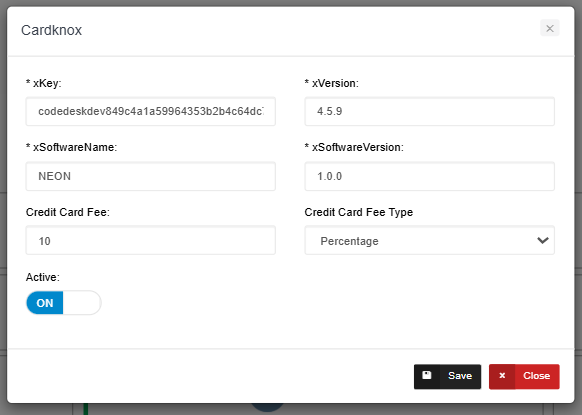
|
Fields |
Details |
|
xKey |
Unique API key used to securely authenticate your system with Cardknox. |
|
xVersion |
Specifies the API version to ensure compatibility with Cardknox services. |
|
xSoftwareName |
Identifies the name of your application (e.g., NEON), sending payment requests |
|
xSoftwareVersion |
Indicates the current version of your software for tracking and support. |
|
Credit Card Fee |
Defines the amount you charge customers for using a credit card. |
|
Credit Card Fee Type |
Determines whether the fee is a percentage or a flat amount. |