Added reseller commission setup with automatic commission calculation
We have added reseller commission setup with automatic commission calculation and commission reporting.
To create a New Reseller Account, go➔Accounts➔Reseller➔Add New
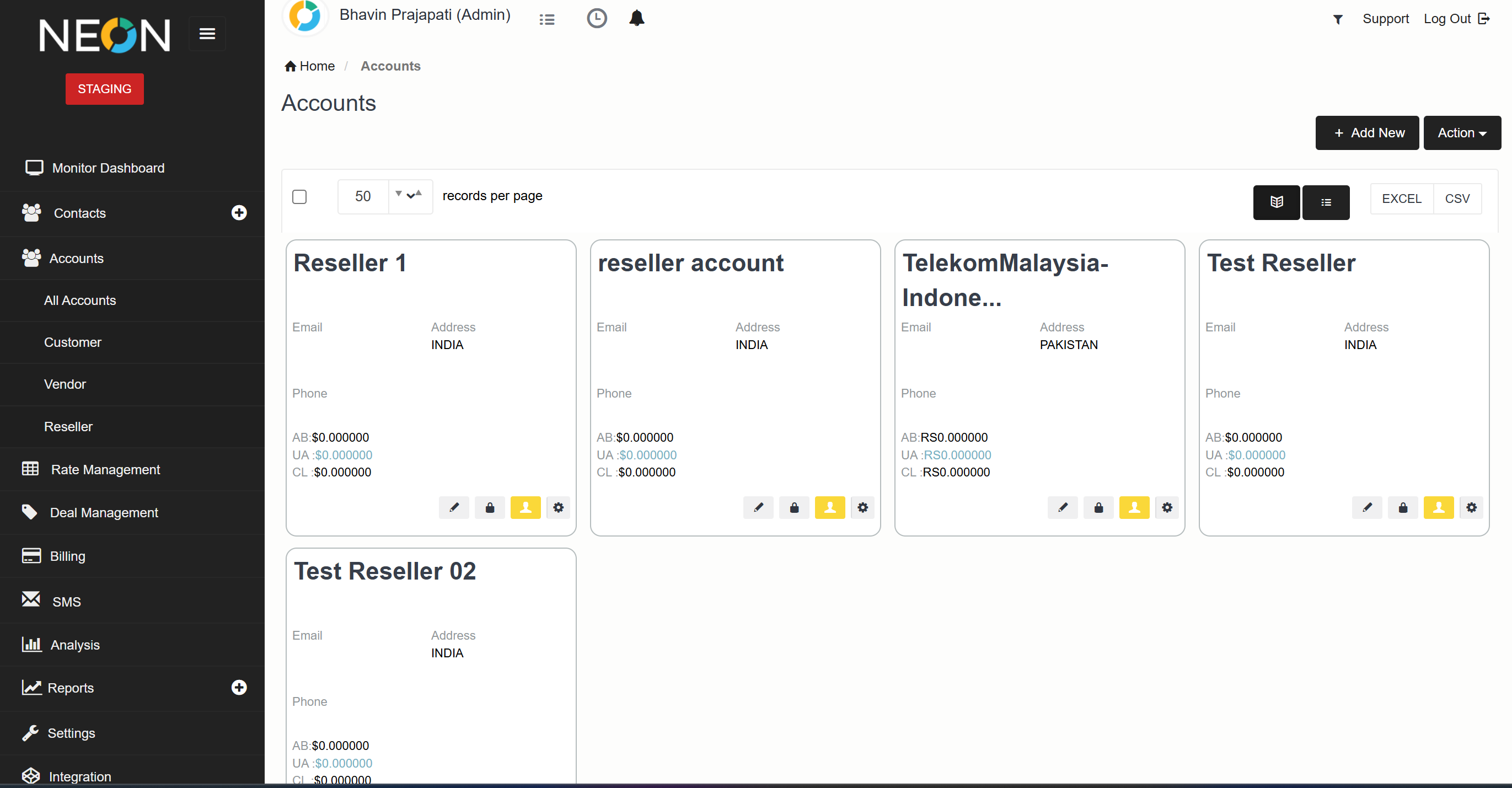
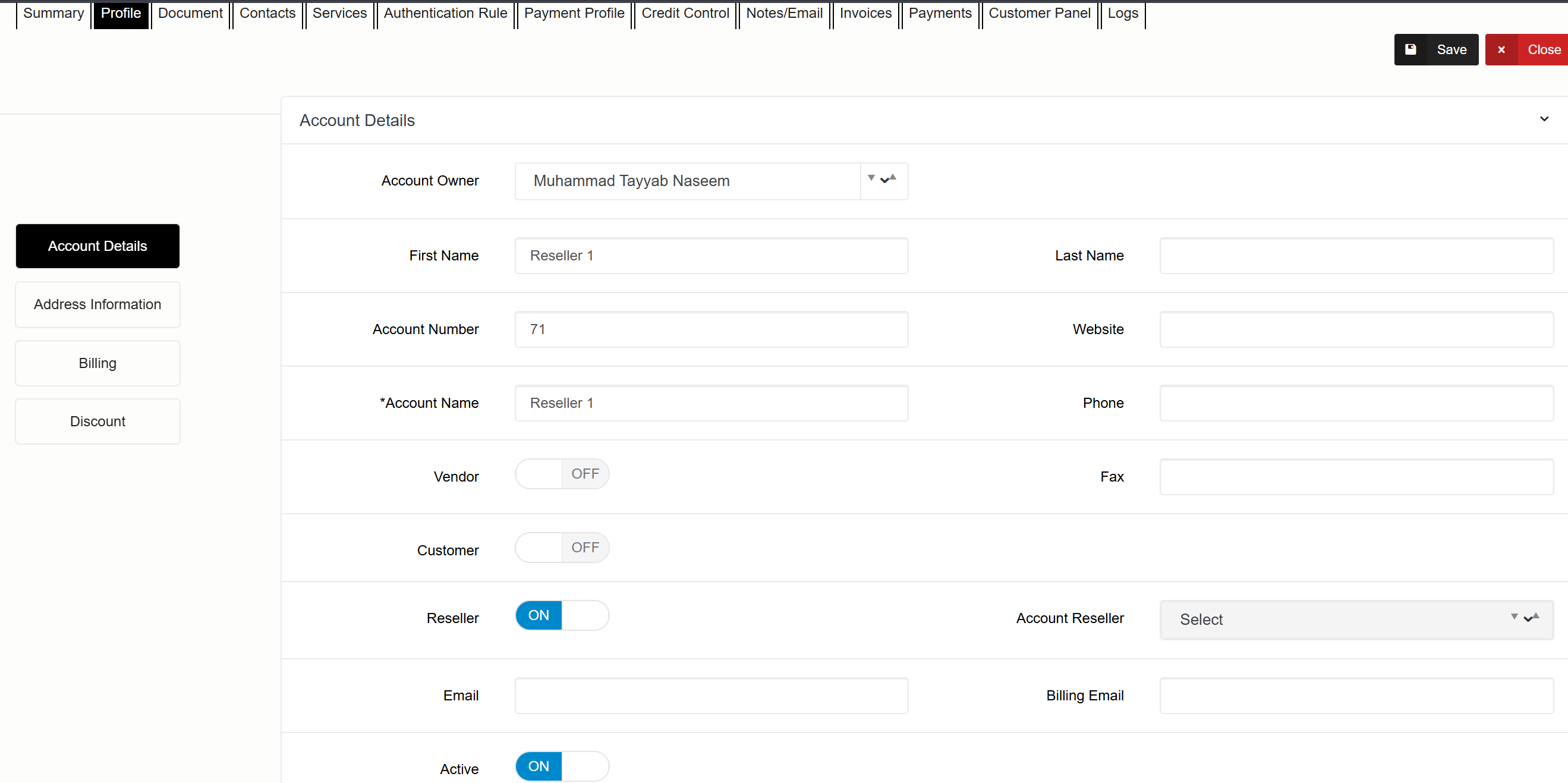
The User need to on Reseller option when creating any Reseller Account.
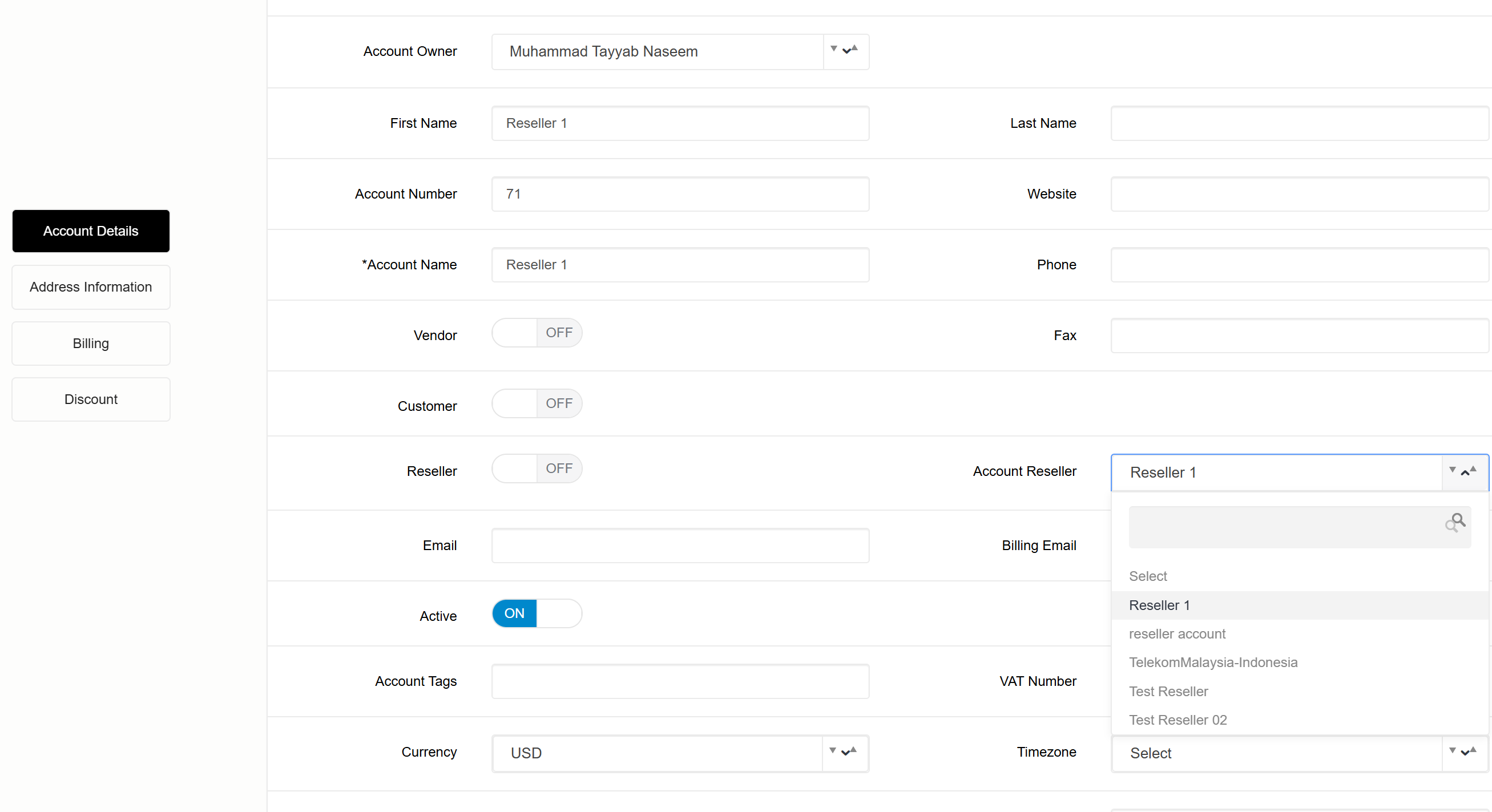
To Assign specific customer accounts to Reseller Account, make sure the reseller toggle is off ,then select specific reseller from the account reseller dropdown for any specific customers under that reseller
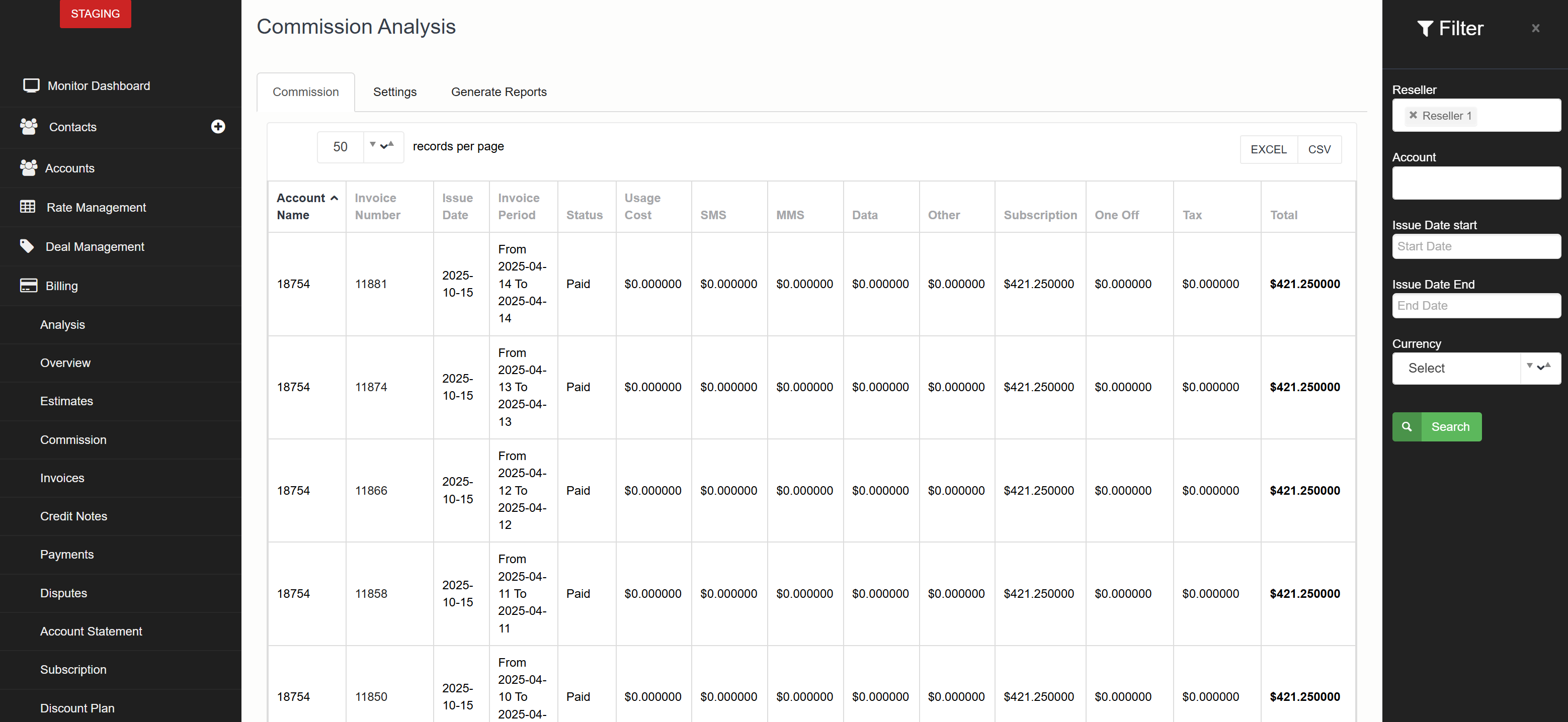
To view the Invoice breakdown of the Accounts under the specific reseller
Go to Billing➔Commission
You can filter with Reseller or Account under that Reseller and can see the invoices breakdown
Commission Setting
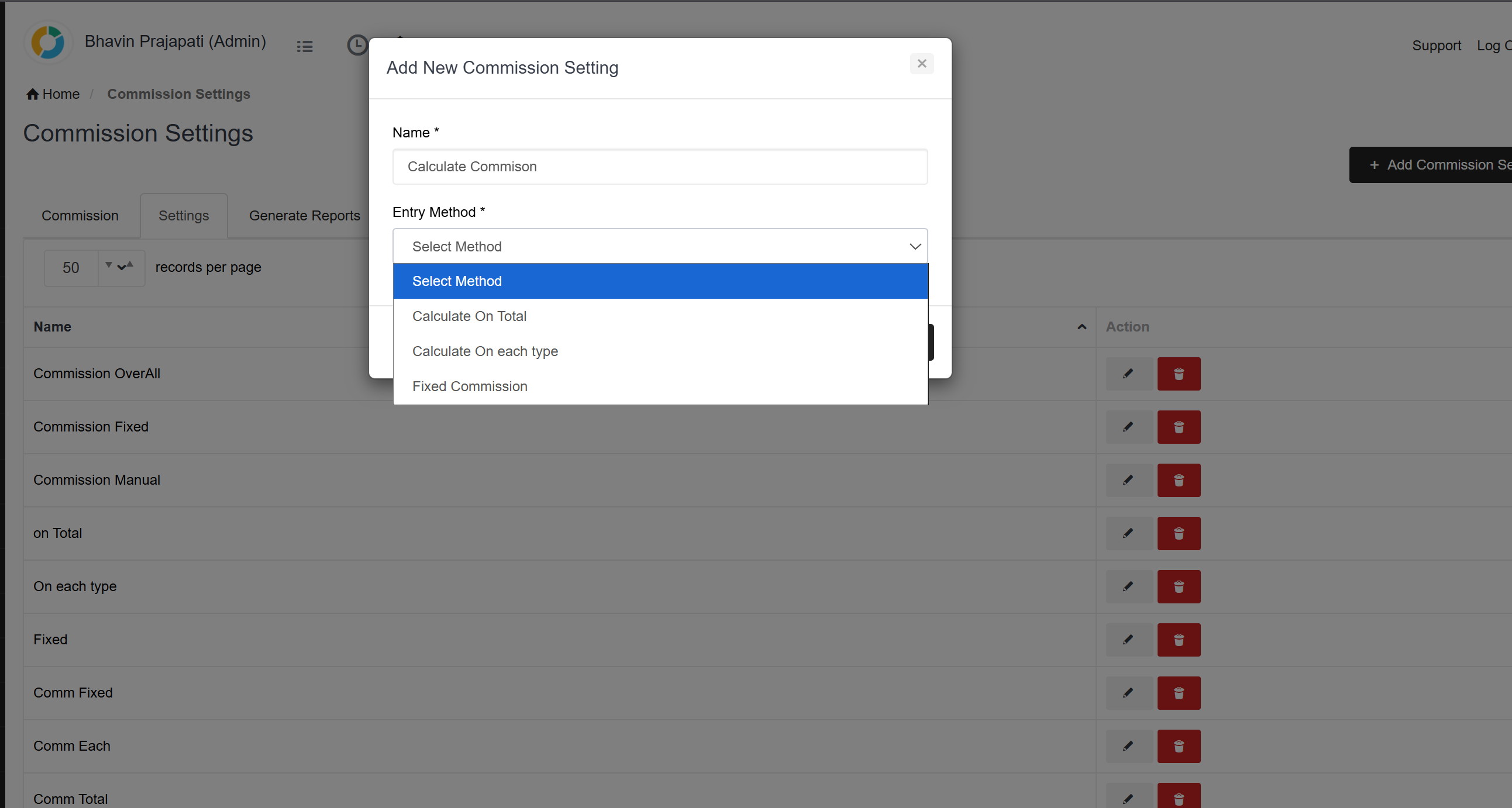
We have also added a commission setting screen to calculate commission
There will be three options to select from the drop down
- Calculate on total
- Calculate on each type
- Fixed commission
Generate Report
We can also generate commission reports
We can select the commission type from Report setting and select the Report period.
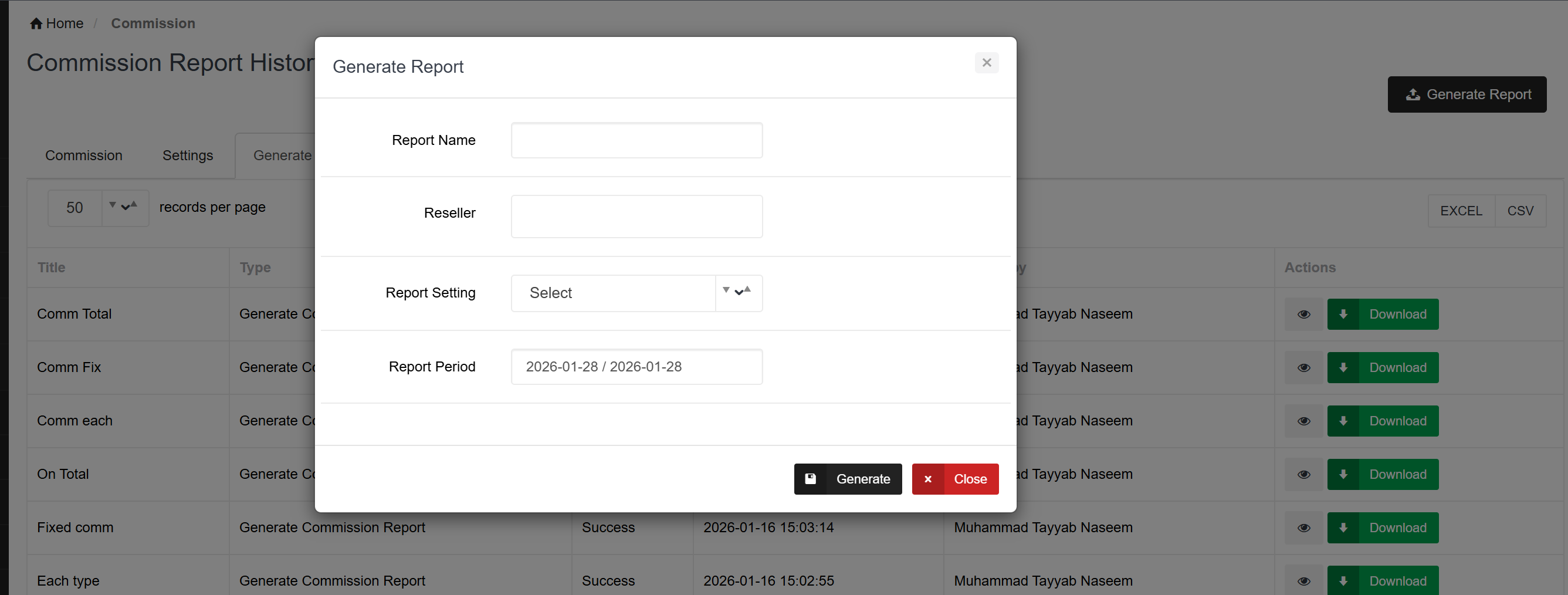
A Cronjob will run and a Report of the particular commission setting for a particular period will be generated